The till for your shop, on your phone

Scan barcodes, print receipts on a Bluetooth printer, give customers credit and see every sale. Till-POS keeps working when the internet doesn't.

Android and iPhone Works offline 156 currencies
Barcode scanning OK Bluetooth receipts OK Credit and part payments OK PDF sales reports OK Staff roles OK
How it works

A sale in three taps

Built for the counter: big buttons, a beep when an item goes in, and a receipt the moment the customer pays.

01

Scan

Point the camera at the barcode. The item drops into the cart with a beep, ready for the next one.
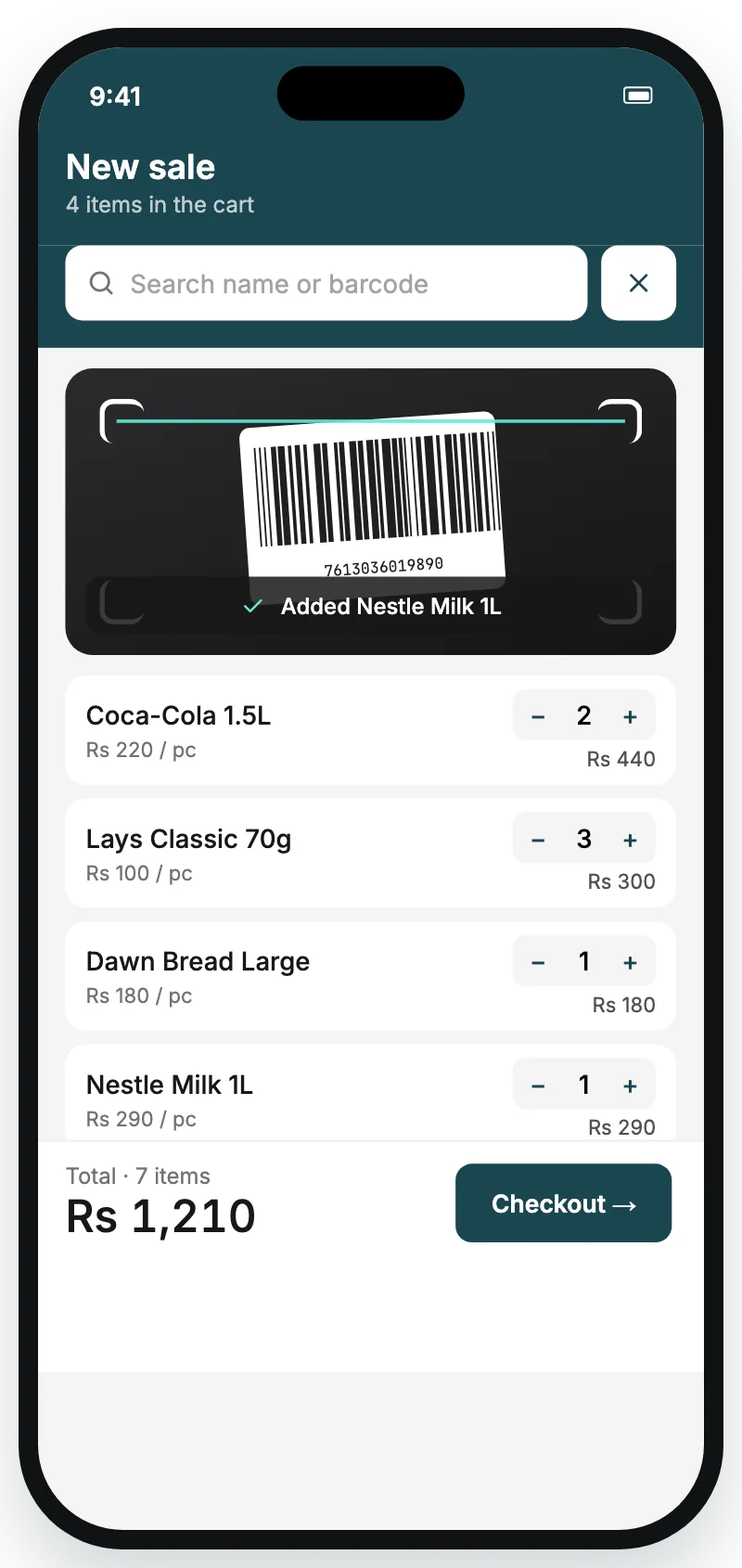
Cart screen with four scanned items
02

Take payment

Cash, online or credit. The receipt builds itself with your logo, shop details and a payment QR.
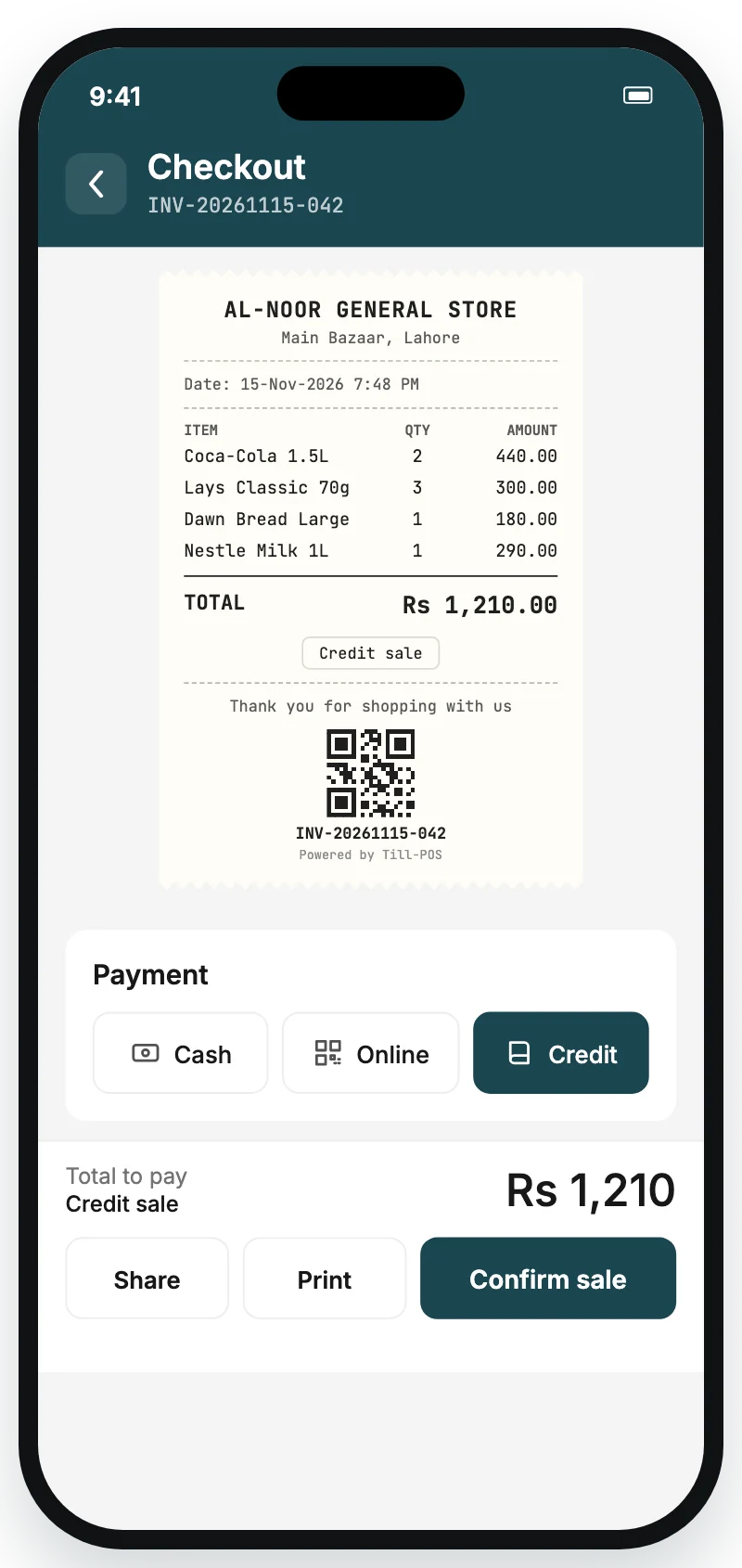
Checkout screen with the receipt and payment options
03

Print or share

Print on a 58 mm or 80 mm Bluetooth thermal printer, or send the receipt as a PDF on WhatsApp.
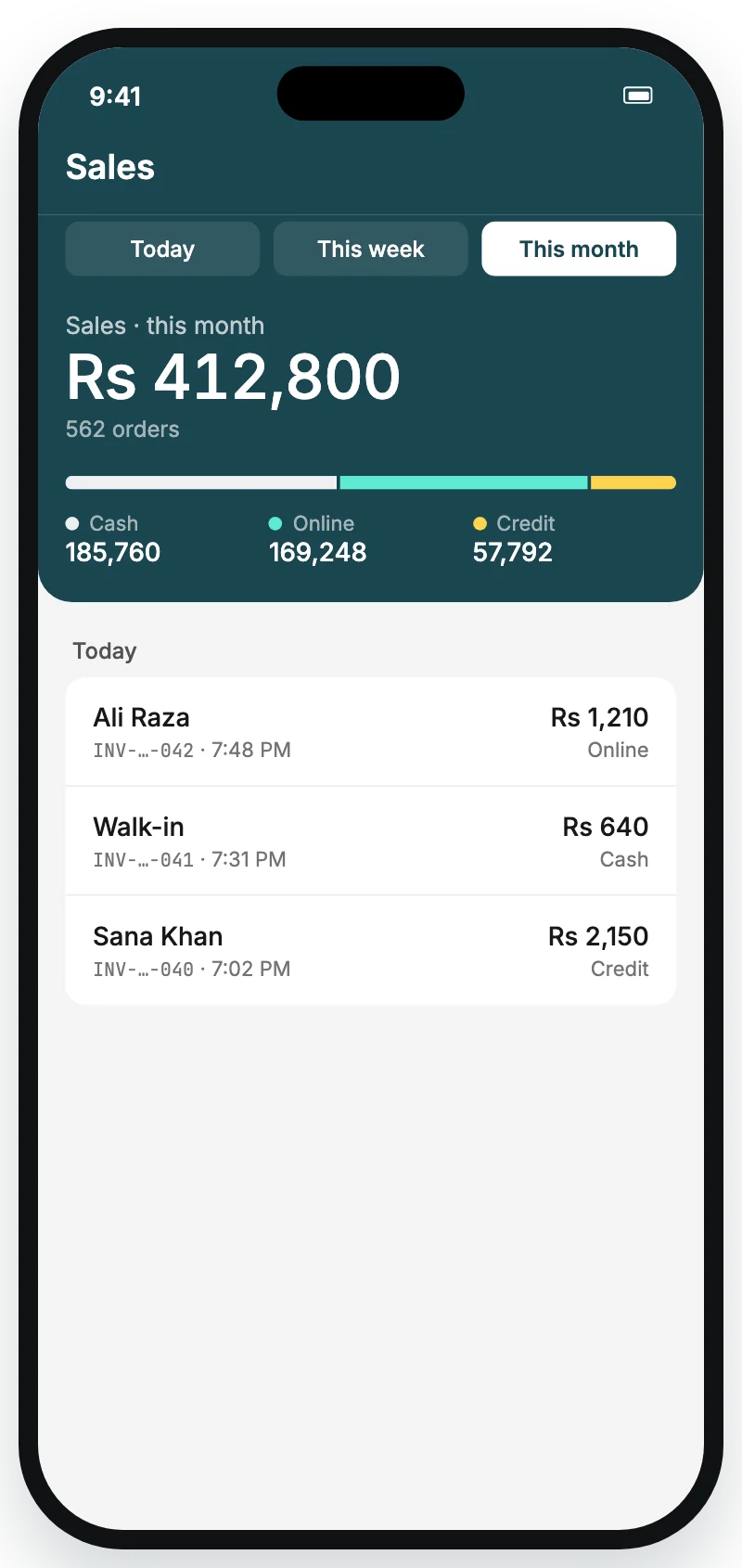
Sales screen with today's total
Features

Everything the counter needs, nothing it doesn't

From the first scan of the morning to the sales report at closing time.

Credit that keeps its own books

Sell on credit and let customers pay part now, the rest later. Till-POS keeps every customer's balance and settles the oldest bills first.
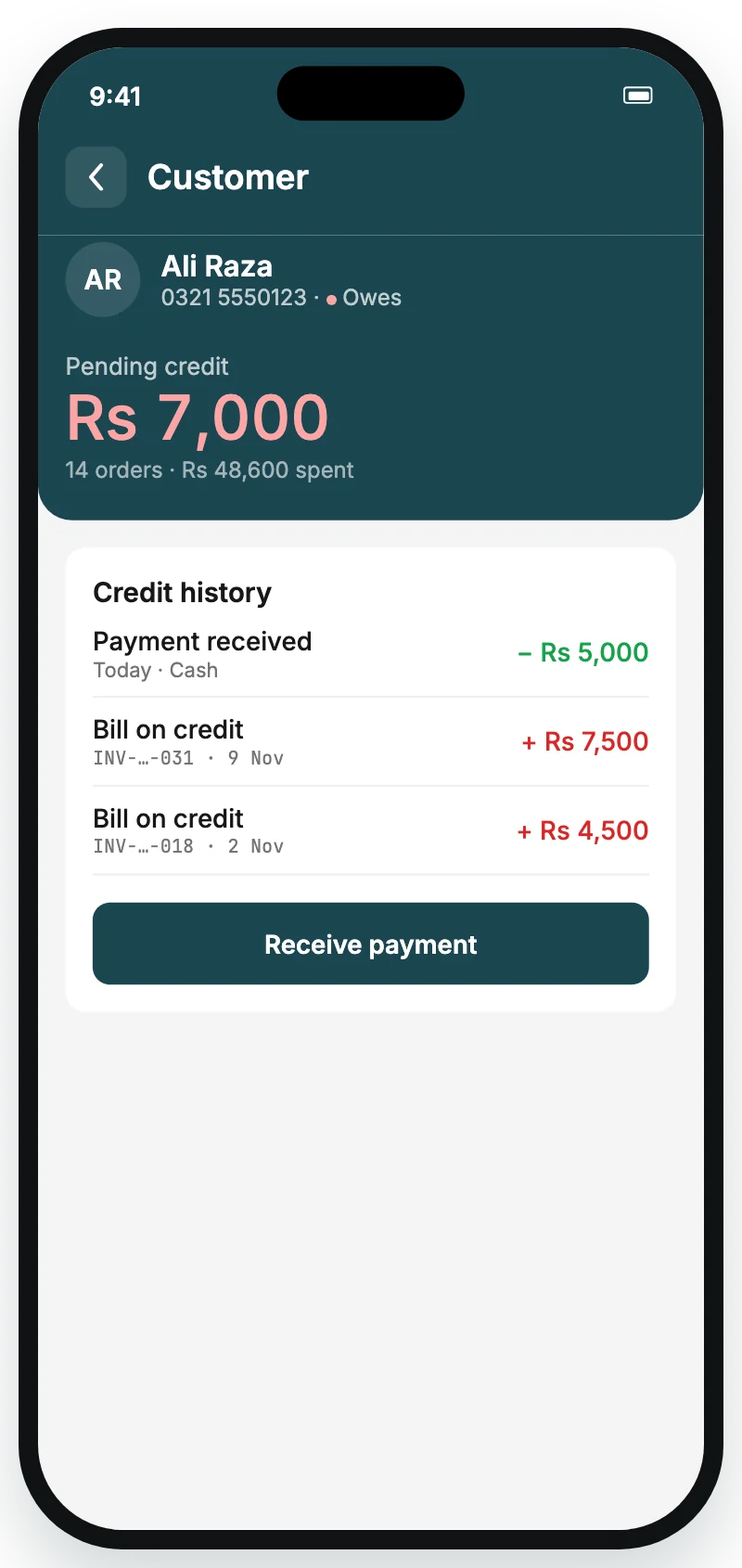
  • Receive full or part payments, cash or online
  • See who owes what at a glance
  • Scan a receipt's QR to open that bill
Customer credit screen showing a part payment

Sales you can read

Today, this week or this month, split by cash, online and credit. Share the report as a PDF.

Sales summary by period

Products and stock

Add a product by scanning its pack. Set the price, stock and pack sizes like a dozen or a carton, each with its own price.
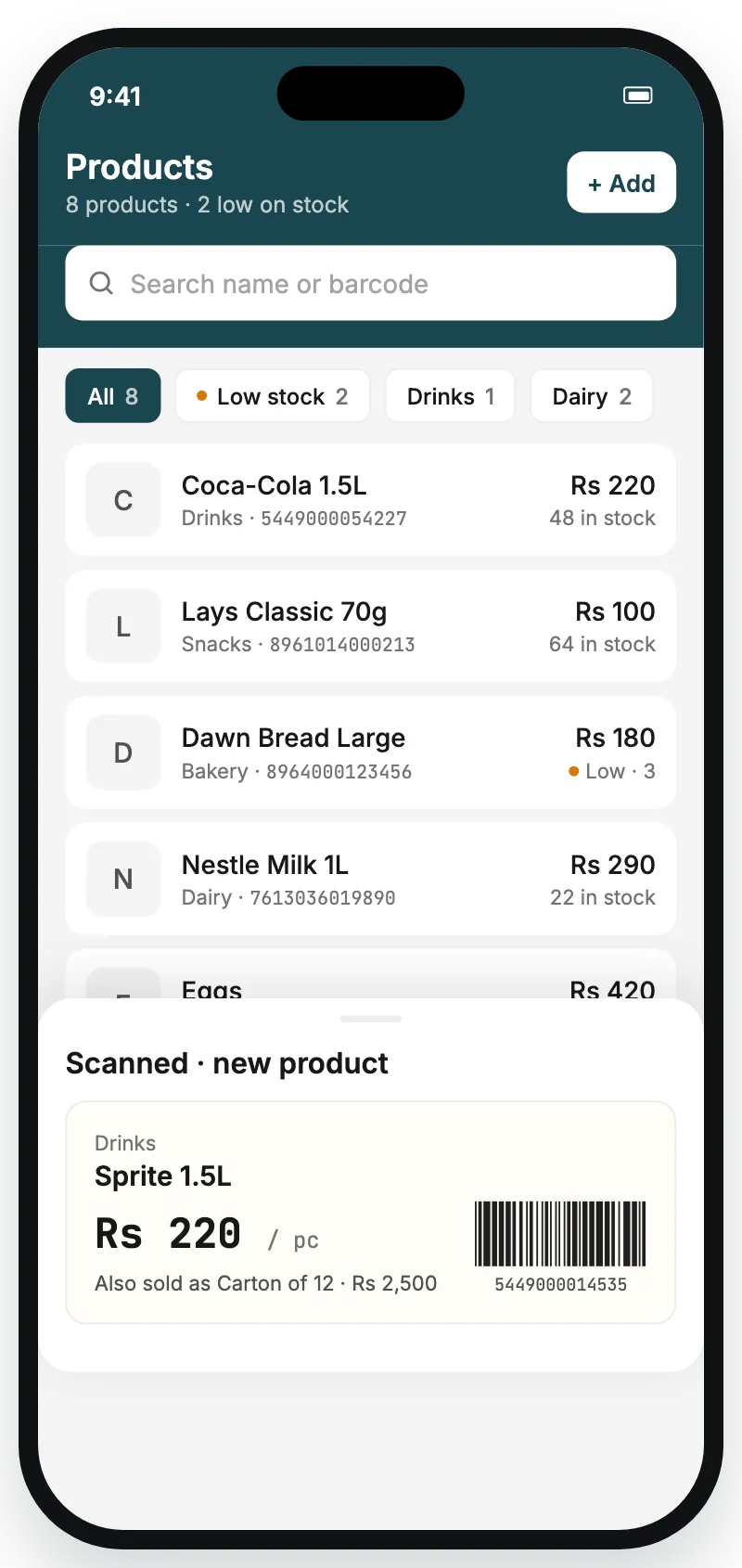
Products list with a scanned shelf label

Staff with their own login

Your sales staff scan and sell. You decide what they can see; profit and reports stay with the owner.
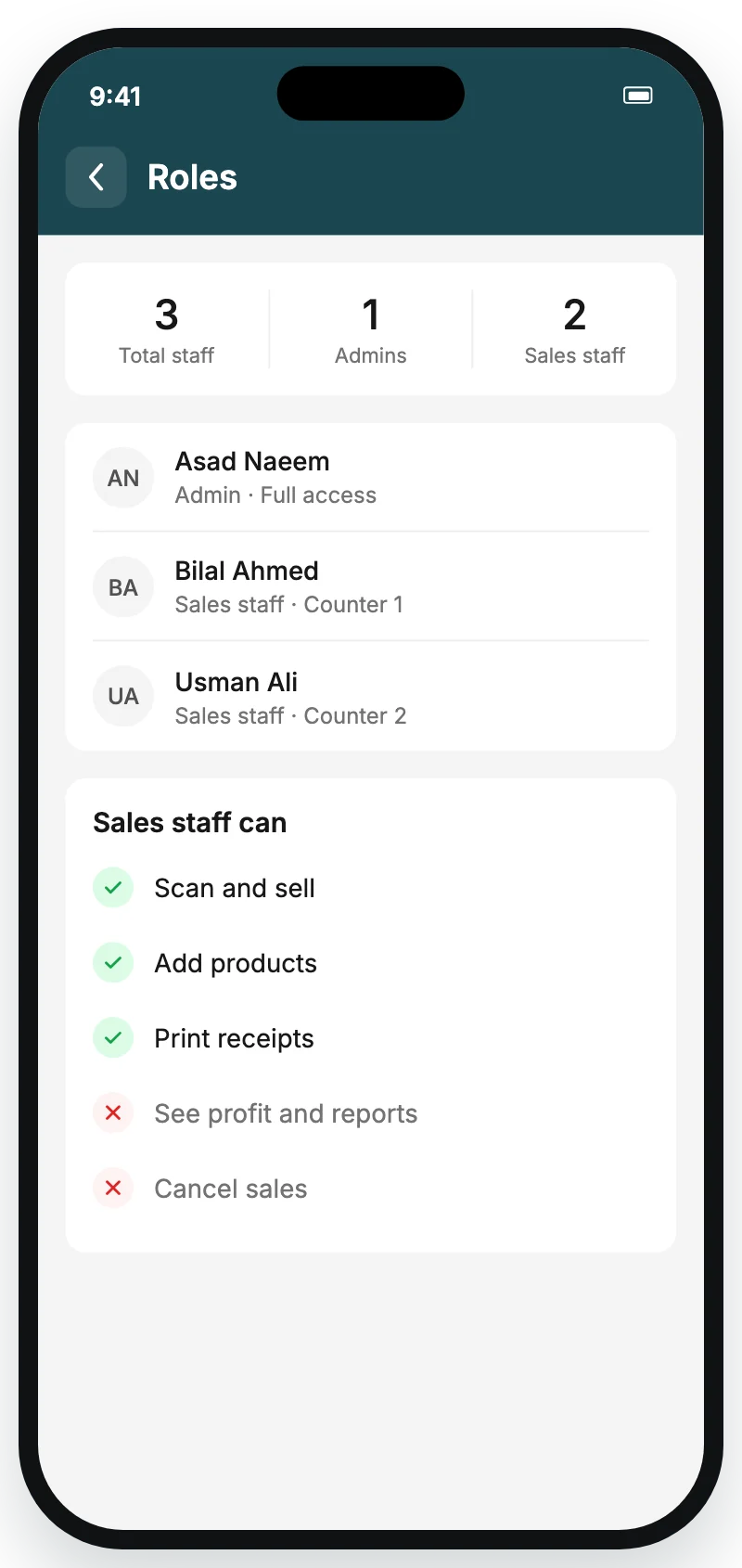
Roles screen with staff permissions

Units and packs

Sell by piece, kg, litre or metre, with decimals where they make sense.

Price checker

Scan any pack to see its price, stock and pack prices.

Expenses and salaries

Record shop costs and staff pay next to your sales.

Low-stock alerts

Know before a fast seller runs out.

Your receipt, your way

Logo, header and footer, payment QR and a delivery charge, on 58 or 80 mm paper.

Customers

Each customer's purchases, credit and payments in one place.

PIN, Face ID, fingerprint

Unlock in a second, even with no signal.

Receipt QR

Every receipt carries a QR that opens the sale again.

Offline first

No internet? Keep selling

Sales, products, credit and payments are saved on the phone and sent to your account as soon as the connection is back. You can even log in offline with your PIN.

Offline · 3 sales saved on this phonewaiting
Back online · synced0 left
156 currencies

Your money, your format

Pick your shop's currency once. Prices, receipts and reports follow it, with a printer-safe symbol for thermal paper.

PKRRs. 1,500
INR₹ 1,500
AEDAED 45.00
USD$ 12.50
GBP£ 9.99
KESKES 850.00
50-second tour

See a whole day at the counter

Scanning, checkout, a Bluetooth receipt, products, the sales report, credit, staff and offline mode, start to finish.

Get Till-POS for your shop

Questions

Good to know

Which phones does Till-POS work on?
Android phones and iPhones. One shop account works on several phones, so the owner and staff can each use their own.
Which printers can I use?
Bluetooth thermal receipt printers with 58 mm or 80 mm paper. Till-POS finds nearby printers, pairs with a PIN when the printer needs one, and reconnects on its own. Without a printer, share the receipt as a PDF.
What happens when the internet goes down?
You keep selling. Sales, stock changes, credit and payments are saved on the phone and synced to your account when the connection comes back. Logging in with your PIN works offline too.
How does credit work?
Choose Credit at checkout for a saved customer and enter what they pay now, if anything. The rest goes on their balance. Later, receive part or full payments in cash or online; the oldest bills are settled first.
Can my staff use it without seeing profit?
Yes. Add staff with their own login. They can scan, sell, add products and print receipts, while profit, reports and sales history stay with the owner.
Which currencies are supported?
156 currencies from the ISO 4217 standard, including PKR, INR, BDT, AED, SAR, USD, EUR and GBP. Change it any time from More, Currency.
Is my shop data safe?
Your data is stored in your own shop account and sent over an encrypted connection. Face ID and fingerprint stay on your phone; Till-POS never sees them. Read the privacy policy.

Bring Till-POS to your counter

Tell us about your shop and we'll help you get set up.

Contact us